AskMuse + Slack
Muse answers the call. A message lands in your Slack channel: who called, how it went, what they wanted, and a link to the call.
Connects on the Starter plan and up, free trial included.
 Sam Lee(555) 010-0188
Booked an appointment
Illustration with placeholder details. Not a Slack screenshot.
Four steps, none by hand
- 01
Muse answers
24/7, in your business's name. Gets who and what, books a time if you let it.
- 02
The call ends
One message in your channel: how it went, who, when, what they wanted.
- 03
Bookings post too
A booking made, moved or cancelled, on a call or online, gets its own message.
- 04
And new leads
Website chat leads and anyone who asks for a person. Tap through to the call or the dashboard.
One message per thing that happens
Every message has the same parts: a headline, Who, When, what they wanted, and a link into your dashboard.
What gets posted
| A finished call | How it went (for example “Booked an appointment” or “New lead: left their details”), who, when, what they wanted, and Open the call |
|---|---|
| A booking made, moved or cancelled | “New booking”, “Booking moved” or “Booking cancelled”, who and when. A move shows the old time too. |
| A new lead | “New lead:” and where it came from (website chat, for example), who and what they wanted |
| Someone asked for a person | “Someone asked for a person:”, who, and why |
| The test | “AskMuse is connected to this channel.” |
What it doesn't do
- It only posts. Replies in Slack don't reach the caller.
- A caller's words can't ping your team or hide a link in the channel.
- For clinics and law firms, messages say who called and when, not what they said.
- If Slack stops taking the link (the channel was archived, say), the dashboard tells you to paste a new one.
Your calls, transcripts and leads are stored in Canada. Slack keeps what it receives under its own terms.
Listen to a roofing call
The same sample as on AskMuse for roofers. Names in the recording differ from the example message on this page.
Good to know
- Times are in your business's time zone.
- Messages are in your business's language, English or French.
- Calls you've marked as family and friends stay private and aren't posted.
- A lead that came from a call is in that call's message, not posted twice.
Every call is also in your AskMuse dashboard, with the summary and transcript.
Set it up in 3 steps
You need a Slack account that can add apps to your workspace.
Make an incoming webhook in Slack
Open api.slack.com/apps › Create New App › From scratch. Name it AskMuse, then Incoming Webhooks › turn it On › Add New Webhook to Workspace › pick the channel › Allow. Copy the link.
Incoming WebhooksOn- Channel
- #calls
- Webhook URL
https://hooks.slack.com/services/T…/B…/••••Copy
Illustration of the step. Not a Slack screenshot.
Paste it into AskMuse
Settings › Integrations › Slack. Paste the link, press Save Slack link.
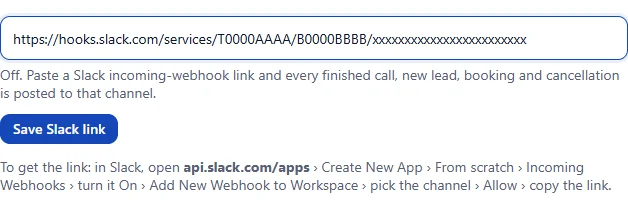
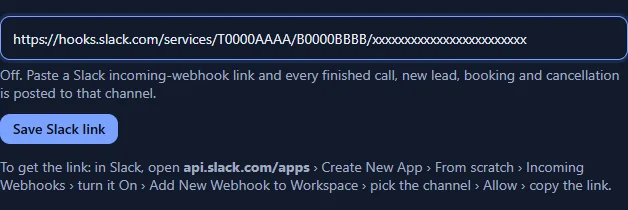 Only a hooks.slack.com link is accepted.
Send a test message
Press Send a test message. “AskMuse is connected to this channel.” appears in Slack.
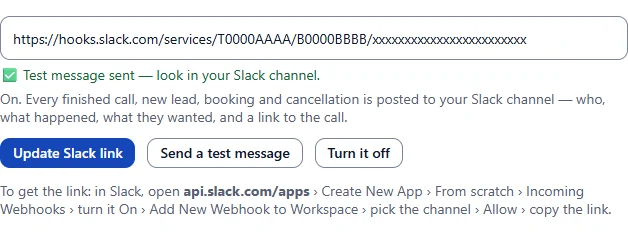
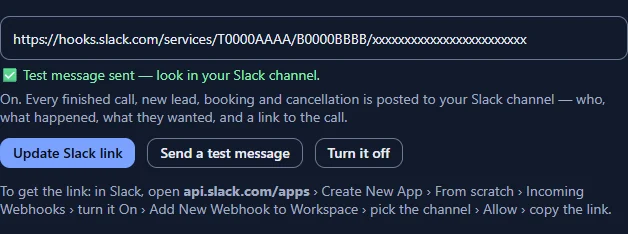 Real dashboard, placeholder link. Turn it off any time from the same row.
On Starter and up, and the 7-day free trial includes it. Use the trial to hear Muse answer your own calls with Slack connected, then keep it on any plan from Starter.
Compare the plansSlack + AskMuse FAQ
Which calls are posted to Slack?
Every finished call, plus new leads, bookings made, moved or cancelled, and anyone who asks for a person. Calls you've marked as family and friends stay private.
Can I change the channel?
Yes. AskMuse posts to the channel you picked when you made the link in Slack. Make a new link for another channel and paste it in the same row.
Is Slack part of the free trial?
Yes. Slack is on the Starter plan and up, and the 7-day free trial includes it.
Hear Muse before you connect anything
Talk to Muse in your browser or call the line. Setup takes about 3 minutes.
Slack is a trademark of its owner. AskMuse, a Muse Nexus product, isn't affiliated with or endorsed by Slack; it posts through the incoming-webhook link you create in your own workspace.