AskMuse + Buildium
Muse answers the call. A tenant's repair becomes a task in Buildium. Someone looking to rent becomes an applicant.
Connects on the Starter plan and up, free trial included. Needs Buildium Premium.
 Sam Lee(555) 010-0188
- Title
- Maintenance call: Plumbing — 4B
- Type
- Contact request
- Priority
- Normal
- Assigned to
- Jordan Park
- Property
- 12 Harbour St
Illustration with placeholder details. Not a Buildium screenshot.
Four steps, none by hand
- 01
Muse answers
24/7, on your property line. Asks who is calling, the unit, what's wrong and whether it's urgent.
- 02
Tenant or renter
A current tenant with an issue, or someone looking to rent. Owners, vendors and anyone else send nothing to Buildium.
- 03
A task or an applicant
A repair becomes a task for the person you picked, High priority when it's urgent. A renter becomes an applicant with a note.
- 04
Your team takes it on
Staff turn the task into a work order and pick the vendor in Buildium.
A task for repairs, an applicant for renters
Sent at the end of the call, on the property and to the person you pick in AskMuse.
A tenant with an issue
Becomes a contact-request task.
| Title | “Maintenance call:” and the kind of issue (plumbing, heat, electrical, lockout, pests, appliance or other), plus the unit. Starts with “URGENT” when it is. |
|---|---|
| Priority | High when the caller says it's urgent, otherwise Normal |
| Assigned to | The staff user you pick in AskMuse |
| Property and unit | The property you pick. The unit is linked when the number they say matches one unit there. |
| Contact | Their name and callback number |
| Description | When they called, the unit, the issue in their words, urgent yes or no, permission to enter |
Someone looking to rent
Becomes an applicant, with one note.
| Applicant | First and last name, and their mobile number. No rental application email is sent. |
|---|---|
| Note | When they called, the listing or area, the move-in date and the callback number |
What it doesn't do
- It doesn't make work orders. Buildium needs a vendor for those, and picking one is your call.
- It never sends pets, occupants, income, credit or access codes. Those stay in AskMuse.
- Calls from owners, vendors and anyone else stay in AskMuse only.
- Nothing is sent until you pick who new requests are assigned to.
- It needs Buildium Premium, with the Open API switched on.
Your calls, transcripts and leads are stored in Canada. Buildium keeps what it receives under its own terms.
Listen to a repair call
The same sample as on Hear a call. It's a home-repair line, not a property line, and names differ from the example card on this page. On a property line Muse also asks for the unit and permission to enter.
What Muse asks on a property line
- Are you a tenant, looking to rent, an owner, or something else?
- Tenants: the unit, what's wrong, is it urgent, and may someone go in
- Renters: the listing or area, and when they want to move in
- Everyone: their name and the best number to call back
Every call is also in your AskMuse dashboard, with the summary and transcript.
Set it up in 4 steps
You need a Buildium administrator login on Buildium Premium.
Turn on the Open API in Buildium
Settings › Application settings › Api settings. Switch Open API on.
Create an API key
Settings › Developer Tools › Create API Key. Tick the four permissions below, then copy the client ID and the secret. Buildium shows the secret only once.
Developer ToolsCreate API Key- Client ID
••••••••7c1fCopy- Secret
••••••••••••••••Copy
Rentals › Rental properties and units (View)Rentals › Applicants (View, Edit)Tasks (View, Edit)Administration › Users (View)Illustration of the step. Not a Buildium screenshot.
Paste both into AskMuse
Settings › Integrations › Buildium. Paste the client ID and the secret, press Connect.
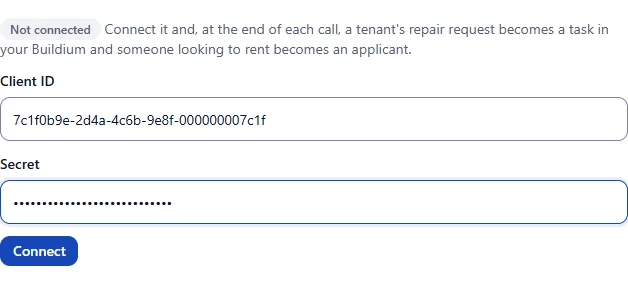
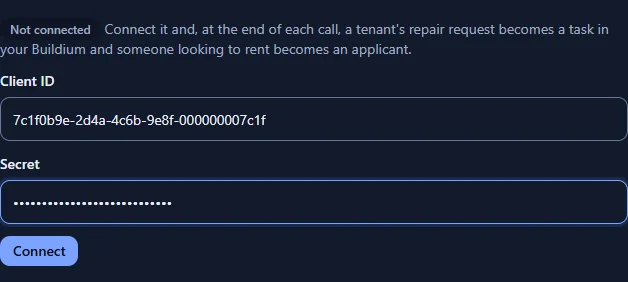 Checked with Buildium on the spot. Kept on our server; the secret is never shown again.
Pick the property and who gets requests
Choose the property this line answers for (or all of them) and the staff user new requests go to. Press Save.
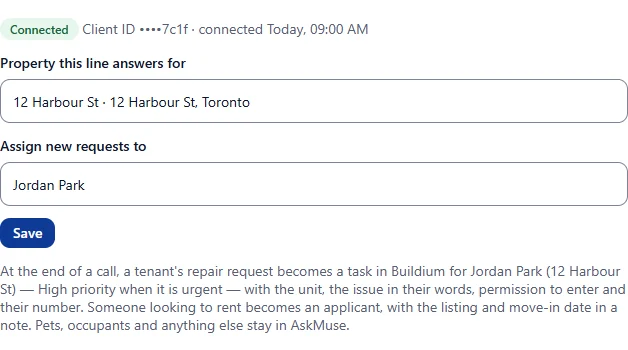
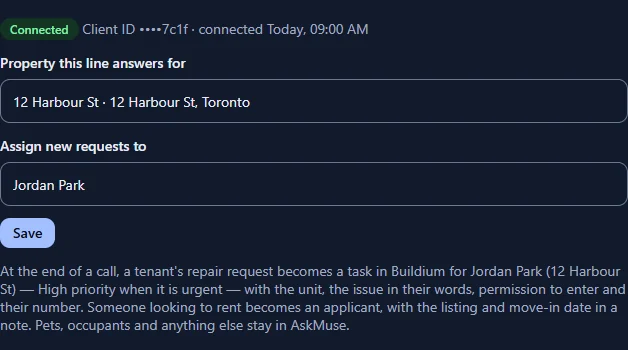 Real dashboard, placeholder account. Disconnect any time from the same row.
On Starter and up, and the 7-day free trial includes it. Use the trial to hear Muse answer your own calls with Buildium connected, then keep it on any plan from Starter. Buildium itself needs its Premium plan.
Compare the plansBuildium + AskMuse FAQ
Which Buildium plan do I need?
Buildium Premium. The Open API is part of Premium, and a Buildium administrator switches it on in Settings › Application settings › Api settings.
Does Muse create work orders in Buildium?
No. It makes a contact-request task, assigned to the staff user you pick. A Buildium work order needs a vendor, and choosing one is your call, so your team turns the task into a work order in Buildium.
What happens with calls from owners or vendors?
Nothing is sent to Buildium. Only a current tenant with an issue or someone looking to rent is sent. Every call, whoever it was, is still in your AskMuse dashboard.
Hear Muse before you connect anything
Talk to Muse in your browser or call the line. Setup takes about 3 minutes.
Buildium is a trademark of its owner. AskMuse, a Muse Nexus product, isn't affiliated with or endorsed by Buildium; it connects using the API key you create in your own account.