AskMuse + Outlook calendar
Muse answers the call, skips the times your Outlook calendar shows busy, and writes the booking into it.
Works on every plan, including Solo and the free trial.
 Sam Lee(555) 010-0188
Illustration with placeholder details. Not an Outlook screenshot.
What happens on a call
- 01
Muse answers
24/7, in your business's name. Gets the caller's name and number.
- 02
Checks Outlook
Times your Outlook or Microsoft 365 calendar shows busy are never offered.
- 03
Writes the booking
Each new booking is added to Outlook, shown as busy, with the caller's details.
- 04
The caller gets a text
A confirmation text with the time. Cancel with Muse and the event comes out again.
What lands in the event
The Outlook event carries what you need to call back. The full call is in your AskMuse dashboard.
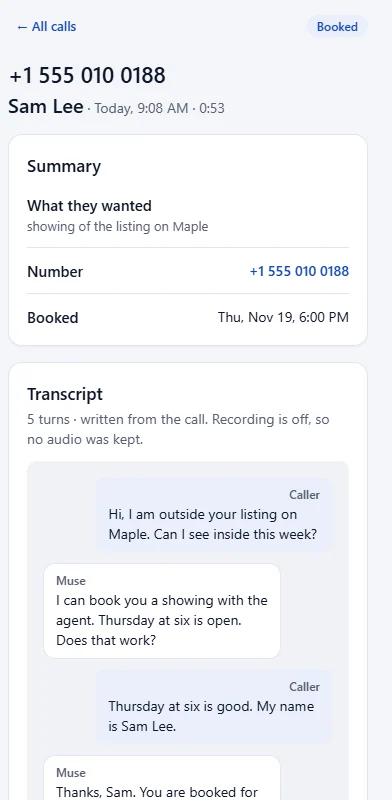
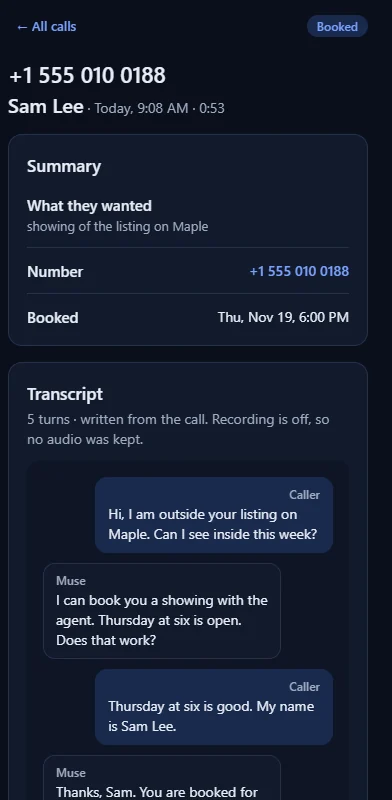
- SubjectThe caller's name and “consultation”
- NameAs the caller gave it
- PhoneThe number to call back
- WantsThe visit type or the listing, when there is one
- CodeThe booking's confirmation code
- Show asBusy
Rather keep bookings out of Outlook? Turn off “Put new bookings in Outlook” and Outlook only blocks times.
Listen to a real estate call
The same sample as on Hear a call. Names and times in the recording differ from the example on this page.
What it doesn't do
- It doesn't add the caller as a guest on the event. They get a confirmation text instead.
- It doesn't guess. If Outlook can't be reached, Muse offers no times until it can, and the Outlook row in AskMuse says Needs attention.
- It doesn't have to write. With the switch off, Outlook only blocks times and bookings stay in AskMuse.
Your calls, transcripts and leads are stored in Canada. Microsoft keeps what it receives under its own terms.
Set it up in 3 steps
Works with an Outlook.com or Microsoft 365 account.
Press Connect in AskMuse
Settings › Integrations › Outlook calendar. Press Connect.
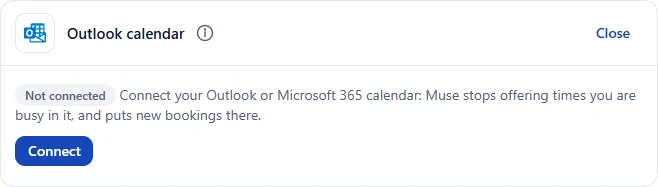
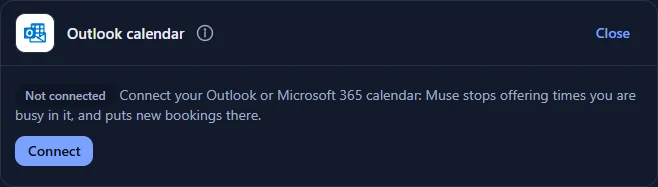 Real dashboard, placeholder account.
Sign in with Microsoft and press Accept
Use the account that holds your work calendar.
Sign in with MicrosoftAcceptowner@marlowrealty.exampleSigned inIllustration of the step. Not a Microsoft screenshot.
Choose whether bookings go in
Connected. “Put new bookings in Outlook” is on; turn it off if Outlook should only block times.
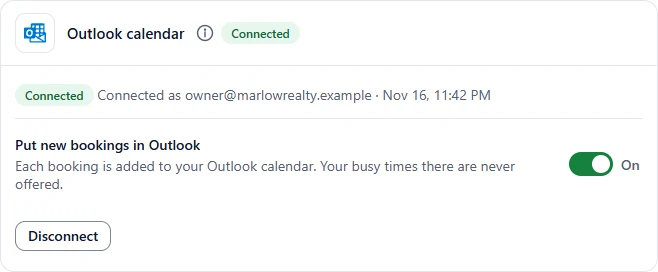
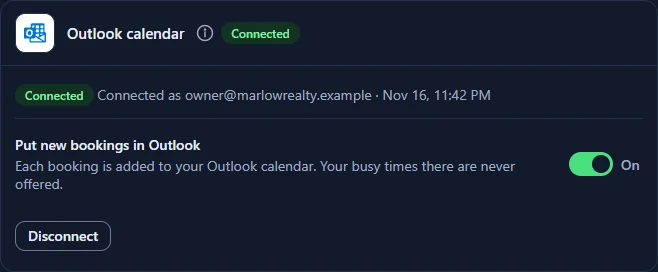 Real dashboard, placeholder account. Disconnect any time from the same row.
Calendar connections are on every plan, Solo included, and on the 7-day free trial. Connect it on day one and hear Muse use it on your own calls.
Compare the plansOutlook calendar + AskMuse FAQ
Does it work with a Microsoft 365 work account?
Yes. Connect your Outlook or Microsoft 365 calendar by signing in with Microsoft.
Can Outlook just block times, without bookings going in?
Yes. Turn off “Put new bookings in Outlook” on the Outlook row. Your busy times are still never offered, and bookings stay in AskMuse.
What happens if Outlook can't be reached?
Muse treats the time as busy rather than guess, so it offers nothing until Outlook can be read again. The Outlook row in AskMuse shows Needs attention so you know why.
Hear Muse before you connect anything
Talk to Muse in your browser or call the line. Setup takes about 3 minutes.
Microsoft, Outlook and Microsoft 365 are trademarks of Microsoft Corporation. AskMuse, a Muse Nexus product, isn't affiliated with or endorsed by Microsoft; it connects through the Microsoft sign-in you approve in your own account.