AskMuse + Juvonno
Muse answers the call, offers your Juvonno times and books the appointment straight into Juvonno. Name and phone only, never the reason.
Connects on the Starter plan and up, and during the free trial.
 Sam Lee(555) 010-0188
- Customer
- Sam Lee
- Cell
- (555) 010-0188
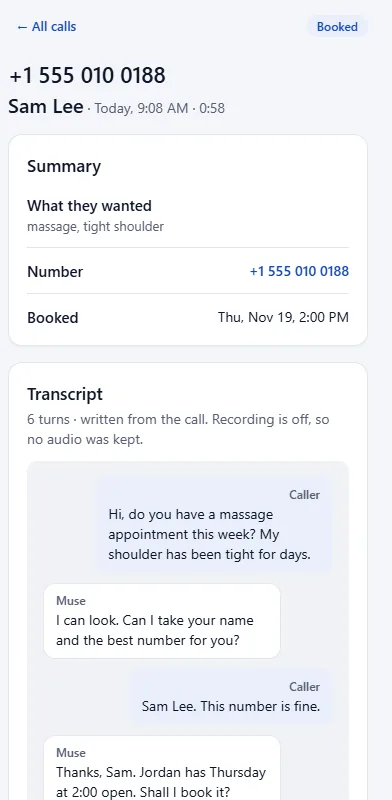
Not sent to Juvonno: why they're coming. That stays in your AskMuse call summary.
Illustration with placeholder details. Not a Juvonno screenshot.
Four steps, none by hand
- 01
Muse answers
24/7, in your clinic's name. Takes the name and the best number first.
- 02
Real open times
Read from Juvonno for the branch, practitioner and schedule type you pick, and checked again just before booking.
- 03
Booked in Juvonno
The appointment goes in with the patient's name and phone, and a one-line memo that AskMuse booked it.
- 04
A text to the patient
The patient gets a confirmation. A cancel or move through AskMuse's link changes the appointment in Juvonno too.
The reason stays in AskMuse
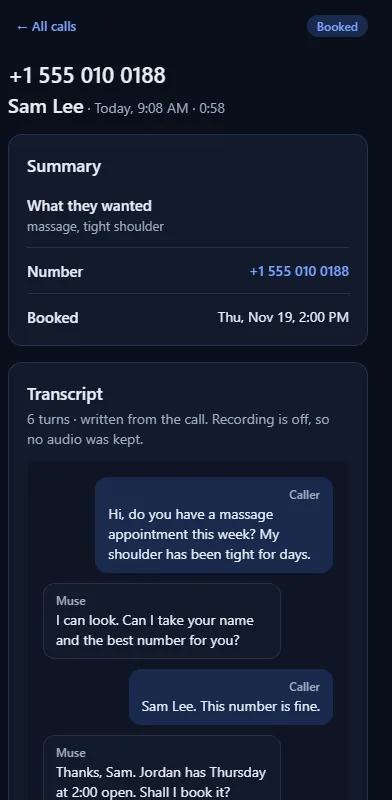
This is the call page in your AskMuse dashboard. What the caller said about the visit is kept here. Juvonno gets the booking.
What Juvonno gets
- CustomerFirst name, last name and cell number
- AppointmentThe time, with the branch, practitioner and schedule type you picked
- Memo“Booked by phone via AskMuse” and the caller's number
- Never sentWhy they're coming, an insurer, a date of birth, a gender or any health number
An existing customer is used only when the first name, last name and a phone number all match. Otherwise Juvonno gets a new customer, which you can merge.
Listen to a physio call
The same sample as on AskMuse for physio and chiro. A scripted demo: the clinic and the caller are made up, and the names differ from the cards on this page. What the caller says about the visit stays in AskMuse; Juvonno gets the name and phone.
What it doesn't do
- It never sends why the patient is coming, an insurer, a date of birth, a gender or a health number.
- If your Juvonno insists on a date of birth or gender for a new customer, Juvonno refuses that booking. Muse then takes a message and tells the caller someone will confirm.
- It works as your one booking system. With Juvonno connected, cal.com, Calendly, Acuity and the other practice tools stay off.
Your calls, transcripts and leads are stored in Canada. What's sent to Juvonno is kept by Juvonno under its own terms.
Set it up in three steps
You need a Juvonno user who can book appointments, and your clinic address: the part before .juvonno.com when you are signed in.
Make a key in Juvonno
Open your own profile › API keys and add a key. Make it from a user who can book appointments.
Your profile › API keysAdd- Name
- AskMuse
- Key
••••••••••••••••••••Copy
Illustration of the step. Not a Juvonno screenshot.
Paste it into AskMuse
Settings › Integrations › Juvonno. Type the clinic address, paste the key, press Connect.
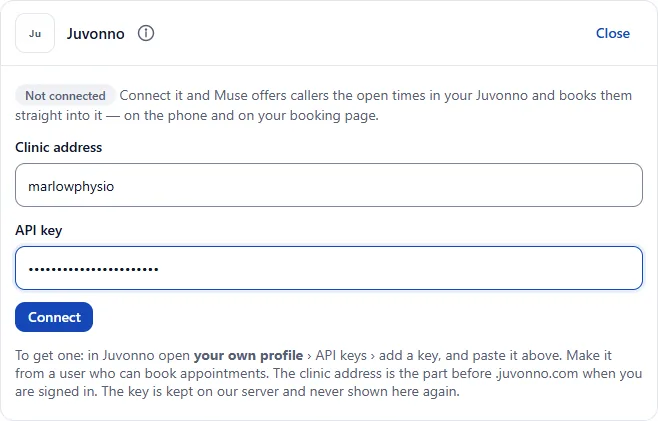
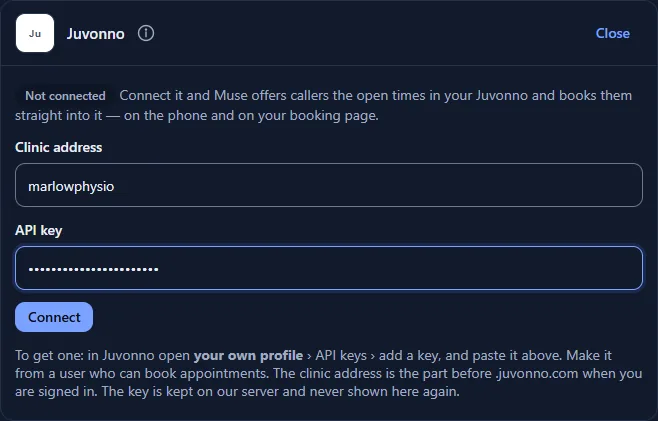 Kept on our server, never shown again.
Pick who Muse books with
Choose the branch, the practitioner and the schedule type, then Save.
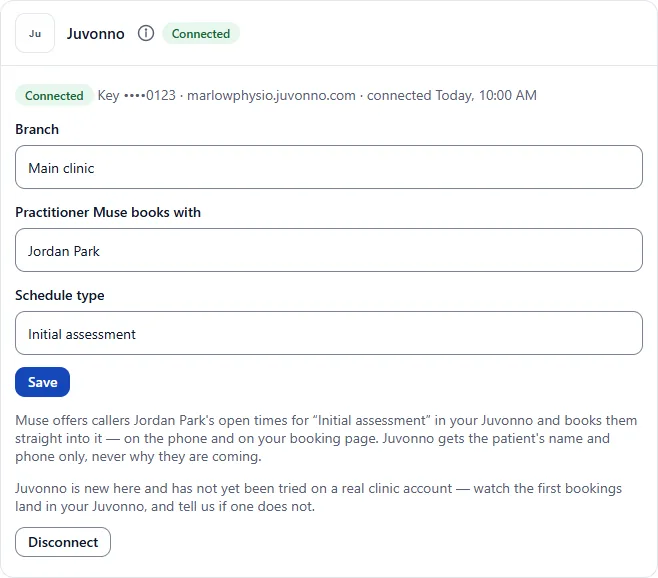
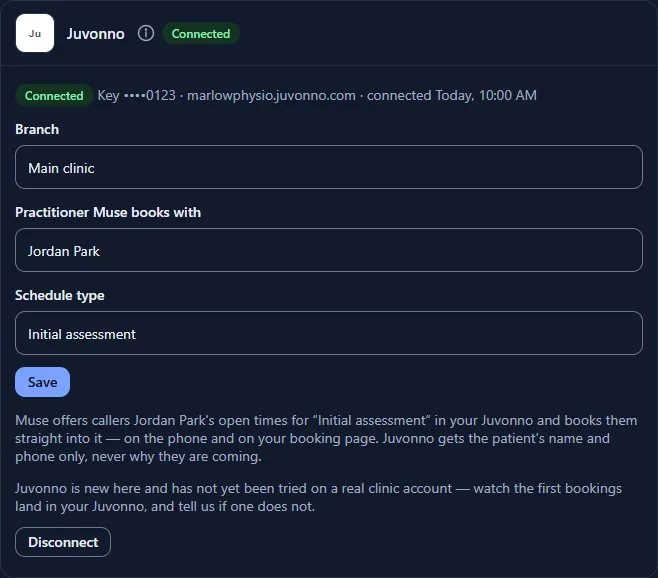 Real dashboard, placeholder clinic. Disconnect any time from the same row.
Practice software is on Starter and up, and you can connect it during the 7-day free trial to hear Muse book into your own practice software.
Compare the plansJuvonno + AskMuse FAQ
Does Juvonno get the reason for the visit?
No. Juvonno gets the patient's first name, last name and phone number, the time, and a one-line memo that AskMuse booked it. What the caller said about why they're coming stays in your AskMuse call summary.
What is the clinic address?
The part before .juvonno.com in your browser when you are signed in to Juvonno. AskMuse asks for it with the API key.
What if Juvonno refuses a booking or doesn't answer?
Muse doesn't guess. It takes a message and tells the caller someone will confirm the time.
Hear Muse before you connect anything
Talk to Muse in your browser or call the line. Setup takes about 3 minutes.
Juvonno is a trademark of its owner. AskMuse, a Muse Nexus product, isn't affiliated with or endorsed by Juvonno; it connects using the API key you create in your own account.