AskMuse + HubSpot
Muse answers the call. The caller lands in HubSpot as a contact, with a note of what happened and a link to the call.
Connects on the Starter plan and up, and the 7-day free trial includes it.
 Sam Lee(555) 010-0188
- Phone
- (555) 010-0188
- Found by
- Phone number
Illustration with placeholder details. Not a HubSpot screenshot.
Four steps, none by hand
- 01
Muse answers
24/7, in your business's name. Gets who and what, books a time if you let it.
- 02
Found by number
HubSpot is searched by the caller's phone number. No match, and a new contact is made.
- 03
A note on the contact
What happened, who, when, what they wanted, and a link back to the call in AskMuse.
- 04
Leads and changes too
New website leads and booking changes add a note the same way. Each call is noted once.
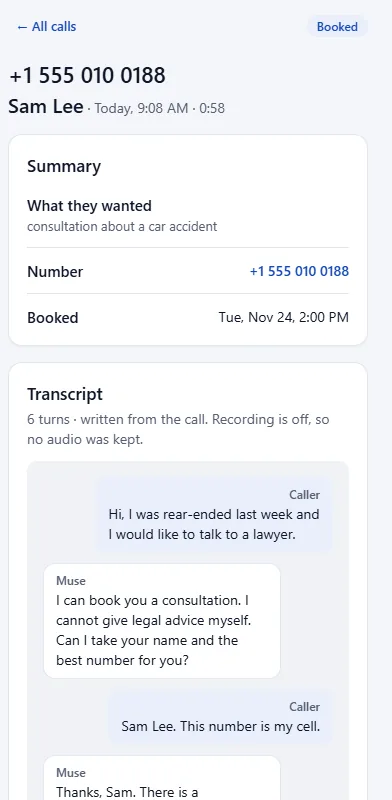
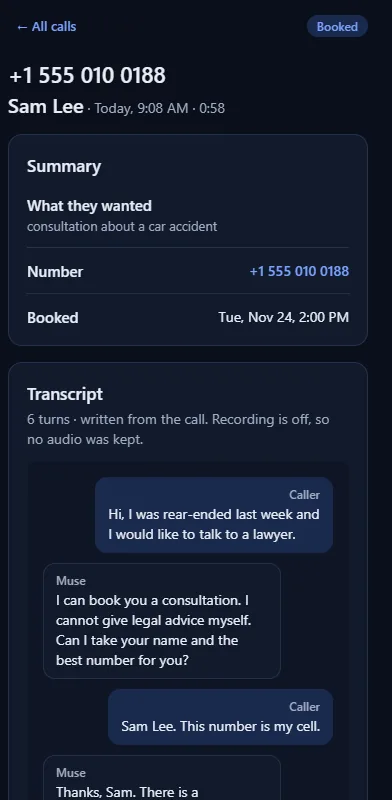
The call, written down
This is the call page in your AskMuse dashboard. The note in HubSpot links back to it.
What lands in HubSpot
- ContactFound by phone number, made when there's none. A name you already have is never overwritten.
- NoteWhat happened, who, the number, when, what they wanted, and a link to the call
- EmailWhen a website visitor gives one
- Which callsEvery finished call with a caller number, plus new website leads and booking changes
A call from a hidden number isn't sent: HubSpot contacts are found by number.
Listen to a law firm call
The same sample as on AskMuse for law firms. A scripted demo: the firm and the caller are made up, and the names differ from the cards on this page.
What it doesn't do
- It doesn't book into HubSpot or create deals. The note says the call ended in a booking; the appointment goes in the calendar you connect.
- It doesn't overwrite a contact's name you already have.
- It doesn't send calls from a hidden number.
Your calls, transcripts and leads are stored in Canada. What's sent to HubSpot is kept by HubSpot under its own terms.
Set it up in three steps
You need a HubSpot login that can make a service key: a super admin, or a user with developer tools access.
Make a service key in HubSpot
Development › Keys › Service keys › Create service key. Name it AskMuse, add the scopes crm.objects.contacts.read and crm.objects.contacts.write, create it and copy the key.
Development › Keys › Service keysCreate service key- Name
- AskMuse
- Scopes
- contacts.readcontacts.write
- Key
pat-na1-••••••••Copy
Illustration of the step. Not a HubSpot screenshot.
Paste it into AskMuse
Settings › Integrations › HubSpot. Paste the key (it starts with pat-), press Connect.
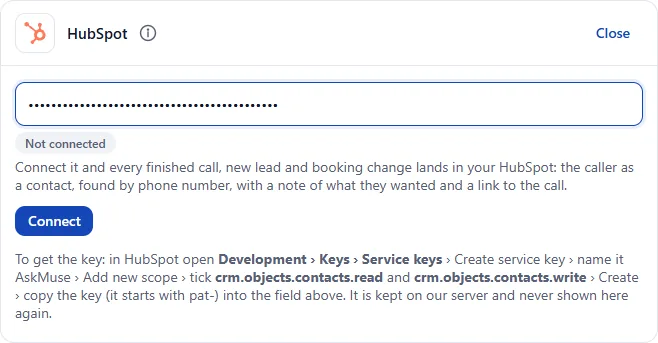
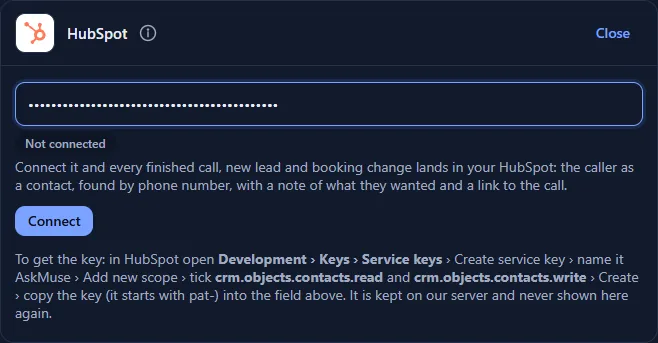 Kept on our server, never shown again.
Send a test
Press Send a test. A contact named “AskMuse Test contact” arrives in HubSpot, with a note on it.
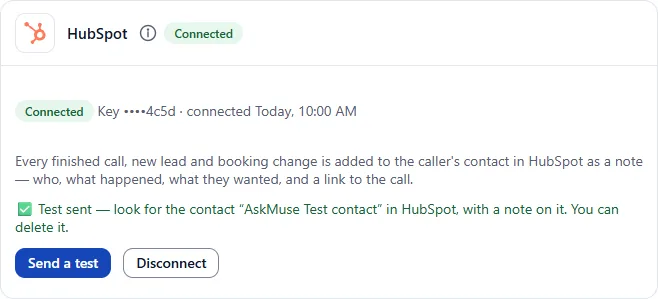
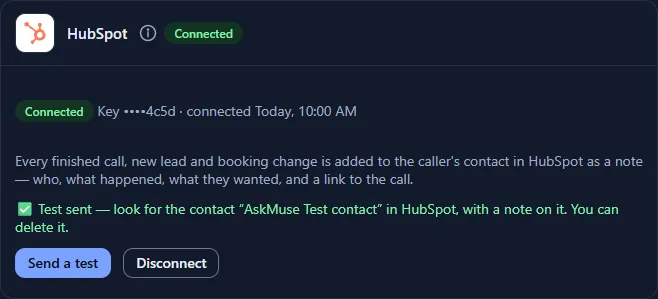 Real dashboard, placeholder account. Delete the test contact whenever you like.
On Starter and up, and the 7-day free trial includes it (the trial counts as Pro). Connect HubSpot during the trial to hear Muse answer your own calls with it in place.
Compare the plansHubSpot + AskMuse FAQ
Does Muse book appointments into HubSpot?
No. HubSpot gets the contact and a note that says how the call ended. The appointment itself goes into the calendar you connect to AskMuse (Google, Outlook or Apple iCloud, for example), and calendars are on every plan.
What if the caller is already in HubSpot?
AskMuse finds the contact by phone number and adds the note to it. A name already on the contact is never overwritten.
Which HubSpot key do I need?
A service key, which starts with pat-, with the crm.objects.contacts.read and crm.objects.contacts.write scopes. Making one takes a super admin or a user with developer tools access.
Hear Muse before you connect anything
Talk to Muse in your browser or call the line. Setup takes about 3 minutes.
HubSpot is a trademark of its owner. AskMuse, a Muse Nexus product, isn't affiliated with or endorsed by HubSpot; it connects using the service key you create in your own account.