AskMuse + Calendly
Muse tells callers your open Calendly times, then texts them your Calendly link. Muse does not book it: the caller books on Calendly, and Calendly confirms it.
Works on every plan, including Solo and the free trial.
 Sam Lee(555) 010-0188
Glow Studio: book your appointment here: https://calendly.com/d/xxxx-xxx
- Link
- Your Calendly event type, single use
- Booked
- Not by Muse. The caller books on Calendly
- Then
- Calendly confirms it and it lands in your Calendly
Illustration with placeholder details. Not a Calendly screenshot.
What happens on a call
- 01
Muse answers
24/7, in your business's name. Gets the caller's name and number.
- 02
Tells them your times
The open times of the Calendly event type you pick.
- 03
Texts the Calendly link
A single-use link for that event type. Muse never says they are booked.
- 04
The caller books on Calendly
Calendly confirms it, and the booking lands in your Calendly.
What Muse does with Calendly
Muse reads your Calendly and sends the link. Calendly does the booking.
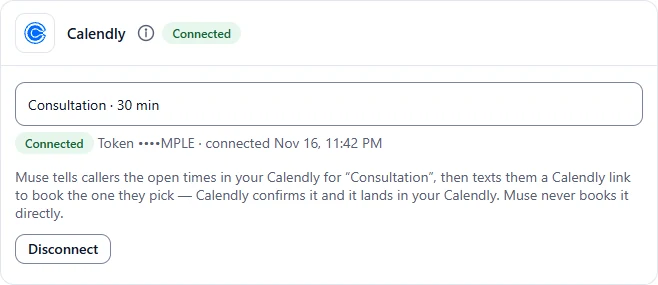
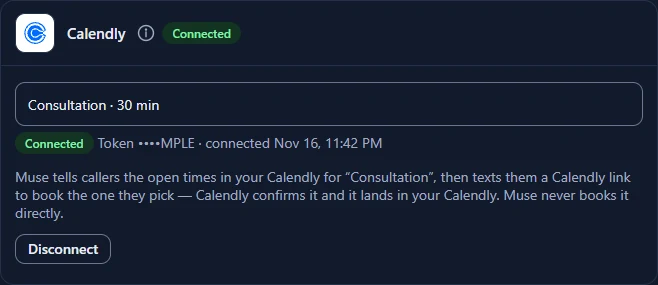
- ReadsThe open times of the event type you pick
- Texts“<Your business>: book your appointment here:” and the Calendly link
- BooksNothing. The caller books on Calendly
- LandsIn your Calendly, once the caller books
No confirmation code is given on the call, because nothing is booked until the caller books on Calendly.
Listen to a booking call
The same sample as on Hear a call, where Muse books on its own calendar. With Calendly connected, Muse offers your Calendly times and texts the link instead. Names and times differ from the example on this page.
What it doesn't do
- It does not book into Calendly. The caller books on the link, and Calendly confirms it.
- Muse never tells the caller they are booked and gives no confirmation code.
- It connects one booking system at a time: Calendly, Cal.com or Acuity, not two together.
Your calls, transcripts and leads are stored in Canada. Calendly keeps what it receives under its own terms.
Set it up in 3 steps
You need your Calendly login and an active event type.
Make a token in Calendly
Integrations & apps › API and webhooks › Generate new token. Name it AskMuse and copy it (a long code starting with eyJ).
API and webhooksGenerate new token- Name
- AskMuse
- Token
eyJ••••••••••••••••Copy
Illustration of the step. Not a Calendly screenshot.
Paste it into AskMuse
Settings › Integrations › Calendly. Paste the token, press Connect.
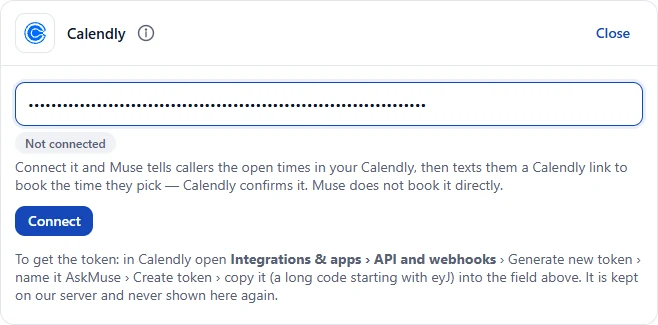
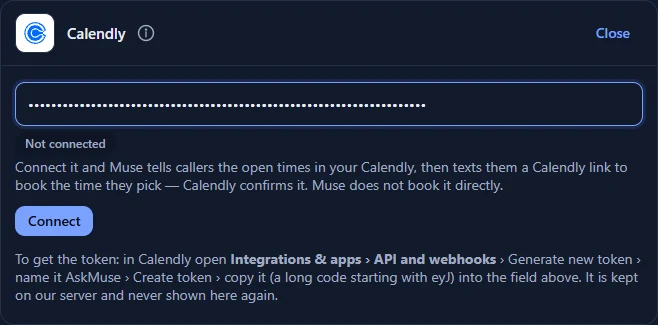 Checked with Calendly on the spot. Kept on our server, never shown again.
Pick the event type
Choose the Calendly event type Muse offers. Until you do, Muse keeps booking in AskMuse.
Real dashboard, placeholder account. Disconnect any time from the same row.
Calendar connections are on every plan, Solo included, and on the 7-day free trial. Connect it on day one and hear Muse use it on your own calls.
Compare the plansCalendly + AskMuse FAQ
Does Muse book appointments into Calendly?
No. Muse tells the caller your open Calendly times and texts them a Calendly link. The caller picks the time there, Calendly confirms it, and it lands in your Calendly. Muse never says they are booked.
What does the caller receive?
One text: your business name, “book your appointment here:” and a Calendly link for the event type you picked.
Is Calendly on the Solo plan?
Yes. Calendar connections, Calendly included, are on every plan, including Solo and the 7-day free trial.
Hear Muse before you connect anything
Talk to Muse in your browser or call the line. Setup takes about 3 minutes.
Calendly is a trademark of Calendly LLC. AskMuse, a Muse Nexus product, isn't affiliated with or endorsed by Calendly; it connects using the personal access token you create in your own account.