AskMuse + Calendar feed
A private link that shows every booking Muse makes in the calendar app you already use: Apple, Google or Outlook.
Works on every plan, including Solo and the free trial.
 Sam Lee(555) 010-0188
Illustration with placeholder details. Not a screenshot of any calendar app.
What happens on a call
- 01
Muse answers and books
24/7, in your business's name, into your AskMuse bookings.
- 02
One private link
Your calendar feed, copied from Settings › Integrations › Calendar links.
- 03
Your app subscribes
Apple Calendar, Google Calendar or Outlook adds it as a calendar.
- 04
It keeps itself up to date
New bookings appear on their own. Cancelled ones are marked cancelled.
What the feed shows
Each booking is an event in your calendar app. The full call is in your AskMuse dashboard.
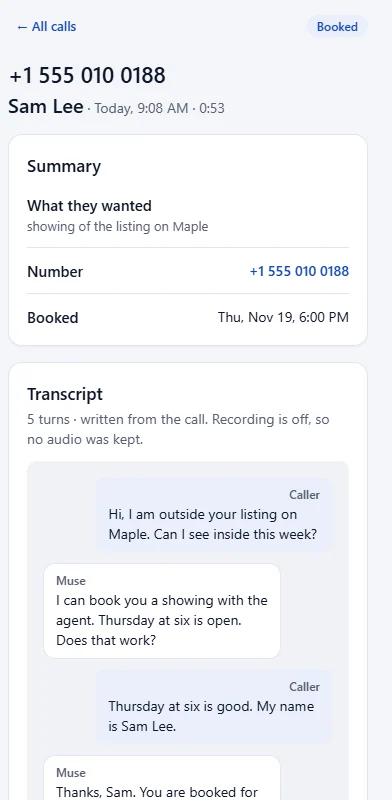
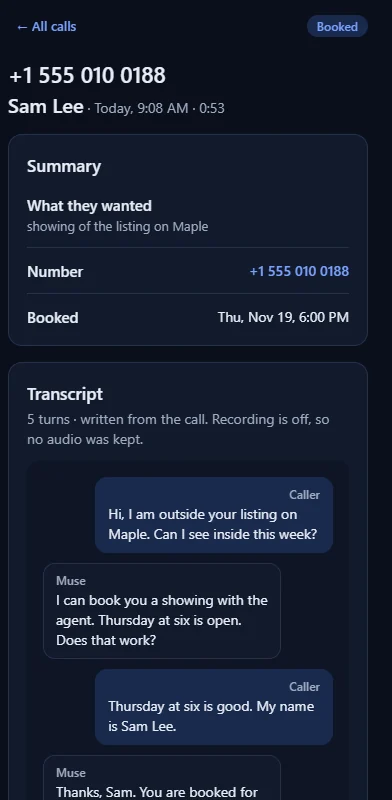
- Title“Booking —” and the caller's name
- PhoneThe number to call back
- NotesAny notes on the booking
- CodeThe booking's confirmation code
- StatusCancelled bookings show as cancelled
For health and legal practices the feed carries the time only, titled “Appointment”, with no name, number or notes.
Listen to a real estate call
The same sample as on Hear a call. Names and times in the recording differ from the example on this page.
What it doesn't do
- It is read-only. Bookings can't be changed from your calendar app; manage them in AskMuse.
- It isn't instant. Apple refreshes about every hour; Google can take a few hours.
- It doesn't block times. To have Muse skip your busy times, connect Google, Outlook or iCloud instead.
Your calls, transcripts and leads are stored in Canada. Your calendar app keeps what it receives under its own terms.
Set it up in 3 steps
Works with any calendar app that subscribes to an .ics link.
Copy your link
Settings › Integrations › Calendar links. Press Copy link.
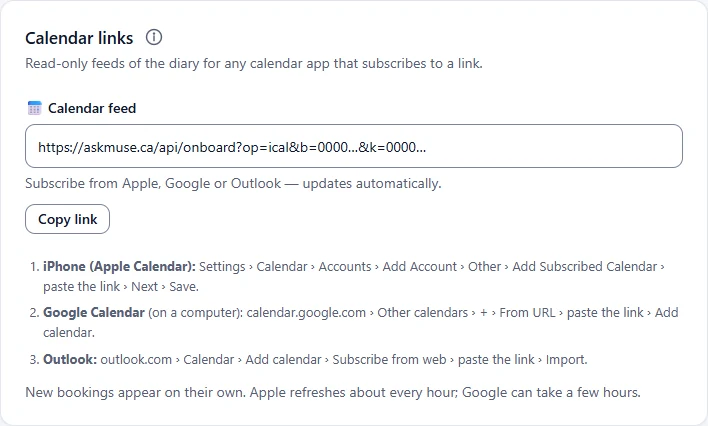
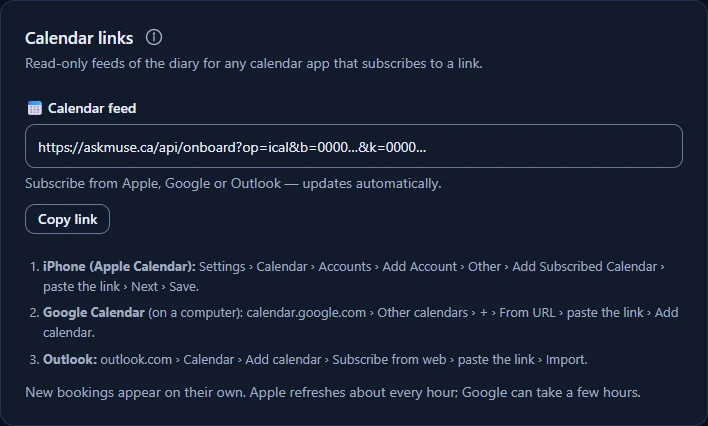 Real dashboard, placeholder link. Keep it private: anyone with the link can see the bookings.
Subscribe in your calendar app
Paste the link where your app adds a calendar from a web address:
iPhone: Settings › Calendar › Accounts › Add Account › Other › Add Subscribed Calendar › paste › Next › Save.
Google Calendar (on a computer): Other calendars › + › From URL › paste › Add calendar.
Outlook: Calendar › Add calendar › Subscribe from web › paste › Import.
That's it
A calendar named after your business appears. New bookings show on their own; Apple refreshes about every hour, Google can take a few hours.
Marlow Realty — bookingsSubscribedBooking — Sam LeeThu 6:00 PMIllustration of the step. Not a calendar app screenshot.
Calendar connections are on every plan, Solo included, and on the 7-day free trial. Connect it on day one and hear Muse use it on your own calls.
Compare the plansCalendar feed + AskMuse FAQ
How fast do new bookings show up?
Apple Calendar refreshes about every hour. Google Calendar can take a few hours. The booking is in AskMuse straight away.
Can I change a booking from my calendar app?
No. The feed is read-only. Change or cancel bookings in AskMuse, and the feed follows.
Is the calendar feed on the Solo plan?
Yes. The calendar feed is on every plan, including Solo and the 7-day free trial.
Hear Muse before you connect anything
Talk to Muse in your browser or call the line. Setup takes about 3 minutes.
Apple, Google and Outlook are trademarks of their owners. AskMuse, a Muse Nexus product, isn't affiliated with or endorsed by them; the feed is a standard calendar link your app subscribes to.